23rd September 2025
Author: xq
After some days of reading and hacking, we’re one step closer yet again!
PS/2 keyboard input works, and the kernel is now officially using HID Usage Page 0x07 (Keyboard) codes as internal key codes, which means:
One standard well applied, and we’re ready for the future of USB and Bluetooth keyboards when they come.
But now for some sweet keyboard action! Make sure to turn on the sound on for this one to enjoy the buckling springy Model M clicking, telling us hello!
15th September 2025
Author: xq
We’re now having a mouse.
- A physical mouse.
- Attached to a PS/2 port.
- Connected to the Propeller 2.
- Running firmware loaded from an EEPROM.
- Using a driver selected by the data on the EEPROM.
- Communicating via PropIO between Propeller 2 and RP2350.
- Dispatched into a glue driver.
- Into a generic PS/2 device driver.
- Into the input subsystem.
And finally: Straight to the mouse on the desktop.
This is a huge milestone as we’re now having achieved two things:
- We’re semi-ish standalone, still missing the keyboard part (but that’s already mostly done)
- We’ve validated 90% of the whole Backplane and expansion subsystem.
And oh boy it’s fragile.
Haven’t power-cycled the mouse? Won’t detect the mouse.
Starting an application? Buffer overrun.
Looking at it funny? Explodes.
But I’m now more hyped than ever. I have achieved a huge milestone today, and I’m extremely happy and proud.
14th September 2025
Author: xq
Tiny progress message for today:
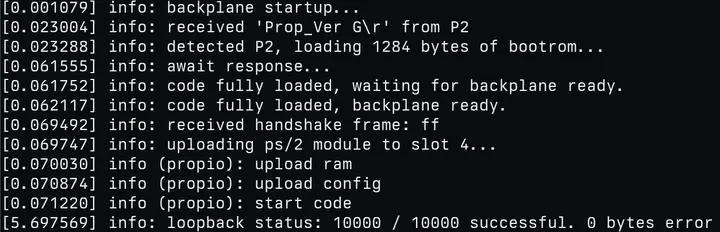
I’ve got some hardcoded driver logic ready and i can now successfully launch the module firmware embedded in the expansion card EEPROM, and I can receive the data sent by the PS/2 mouse attached to my expansion card.
The screenshot is really … boring this time, but my excitement is incredibly high:
The 014400 and 0144aa decoded means:
01 # frame type 1: write_fifo
44 # module slot 4, fifo 4 (upstream fifo 0)
00/AA # 1 byte data from the mouse
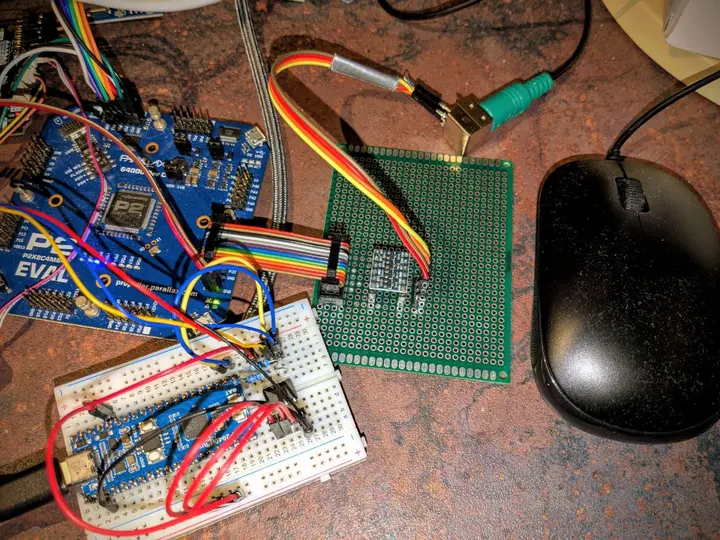
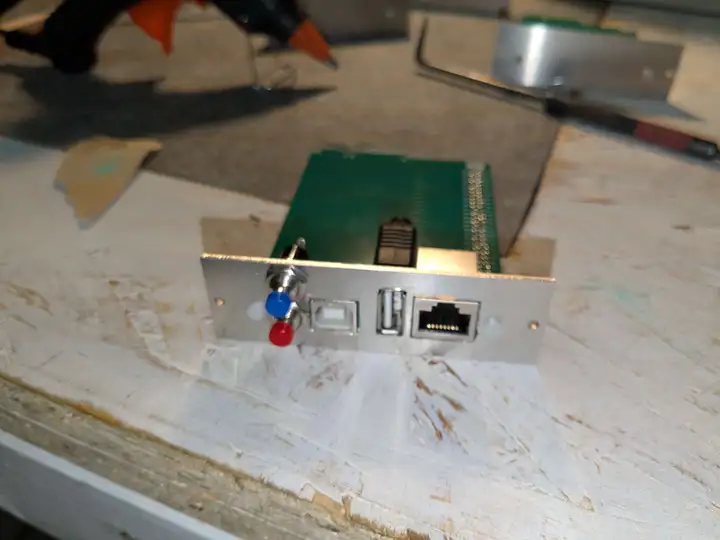
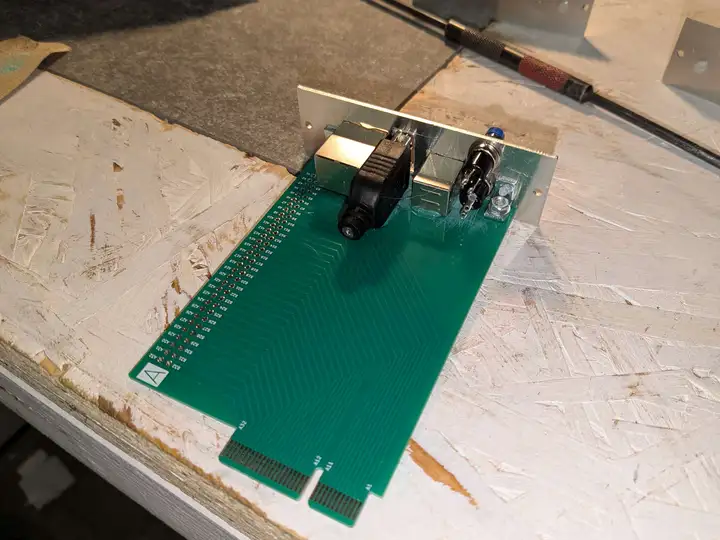
Here’s a photo of the current expansion “card”:
12th September 2025
Author: xq
After days of sickness, tiredness and a lot of childcare, i finally had some short afternoons to continue working on the project.
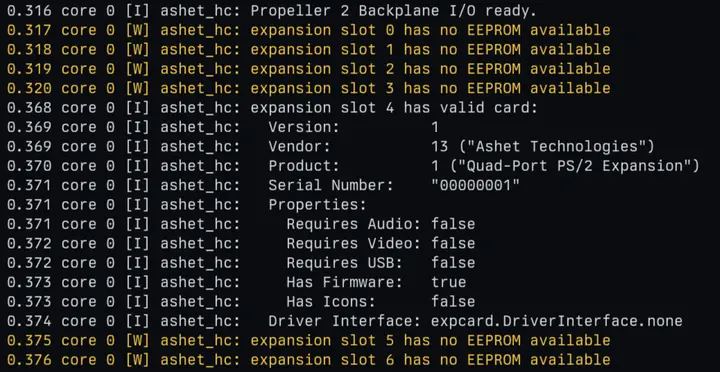
What’s new? The Ashet Home Computer now scans the expansion card I²C busses at boot and performs card detection that way:
The card EEPROM contents can now be conveniently described in JSON:
{
    "Vendor ID": 13,
    "Product ID": 1,

    "Vendor Name": "Ashet Technologies",
    "Product Name": "Quad-Port PS/2 Expansion",
    "Serial Number": "00000001",

    "Properties": {
        "Requires Audio": false,
        "Requires Video": false,
        "Requires USB": false
    },

    "Driver Interface": "none"
}
A small tool will compile the EEPROM image and also embeds the firmware blob.
The next steps are loading the firmware from the EEPROM and launching it on the associated Southbridge core.
This means that we’re a huge step closer to having a standalone system that can just be powered on and boots to desktop, has mouse, keyboard and network support available.
14th August 2025
Author: xq
I traveled to the Evoke demo party and socialized a lot over the computer.
When packing the computer, i wondered how i can get both the cable clutter electronics as well as the case to Evoke.
The answer was surprisingly simple: Stuffing!
<sarcasm>These pictures prove that the electronics will actually fit into the case.</sarcasm>
You can also see how much interior space is available. Except for a smaller PCB behind the Backplane for power regulation, the space will be free and can be filled with goodies like USB drives, wifi adapters, …
2 USB-A sockets and some QWIIC I²C sockets will be available to power that space.
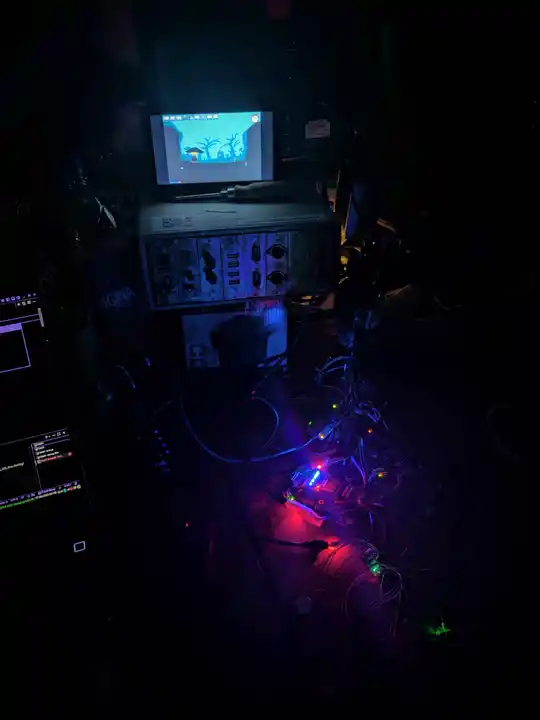
The computer was displayed on my seat at the party and made a pretty good impression:
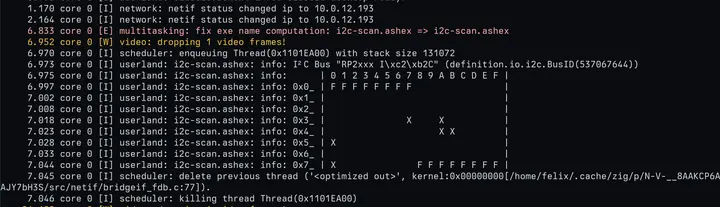
I also did some heavy party coding and implemented I²C support inside Ashet OS.
This means we do have an I²C bus scan application now:
11th August 2025
Author: xq
First milestone in publishing done!
The website is live and it’s possible to subscribe to the newsletter (which won’t be updated very often).
Next global update will be the fundraiser launch.
Well, that last promise was a false one. I haven’t had the time and energy yet that is required to set up a fundraiser campaign.
The introduction of the devlog is the first announcement since then that was made through the newsletter.
10th August 2025
Author: xq
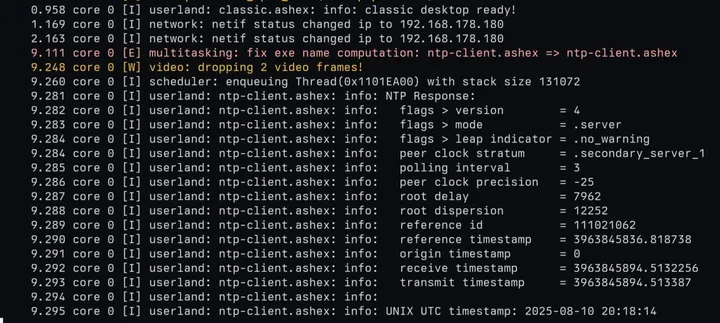
After fixing the zig-network NTP example, I’ve ported it to Ashet OS.
We can now run NTP queries when starting the “ntp-client” app:
10th August 2025
Author: xq
During all the debugging of the HDMI, a new tool called “elfstack” emerged.
It is currently hardcoded on showing memory allocations in physical and virtual memory in your elf file’s memory sections:
10th August 2025
Author: xq
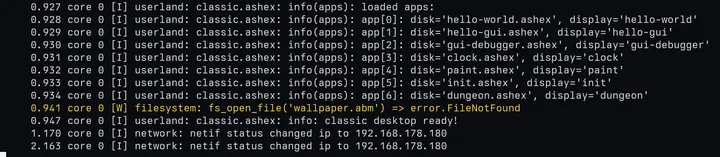
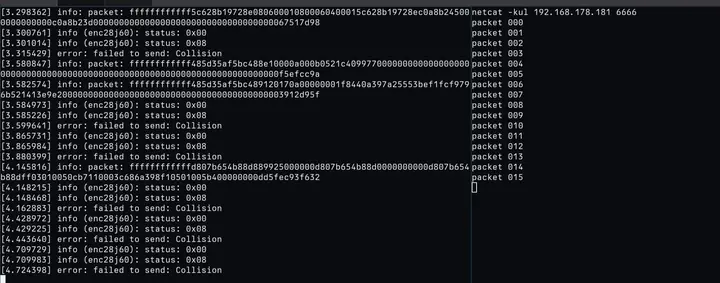
So after a weekend of failures getting the new HDMI driver running with Ashet OS, I took the low hanging fruit of integrating the ENC28J60 driver.
This means… I can now go online with my own computer!
Also, this is how the computer looks right now:
8th August 2025
Author: xq
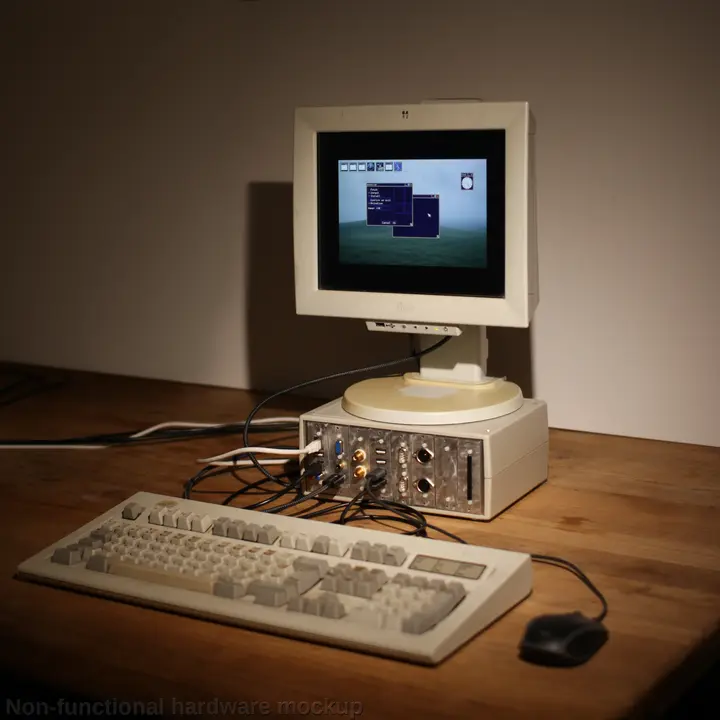
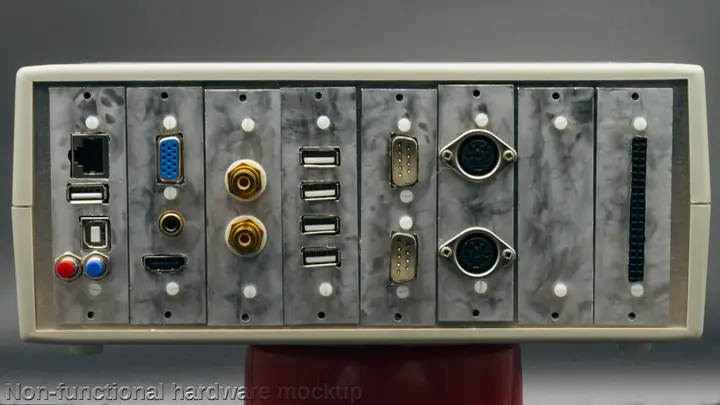
We did a photoshoot of the prototypes today, with some better setup than just having a smartphone camera.
I guess with these images, i can convince everyone to get their brand new Ashet Home Computer:
5th August 2025
Author: xq
I’ve managed to get the ENC28J60 up and running today in a standalone prototype, which means i’ve got a really bad and basic ethernet driver:
30th July 2025
Author: xq
Okay, time for more diagrams!
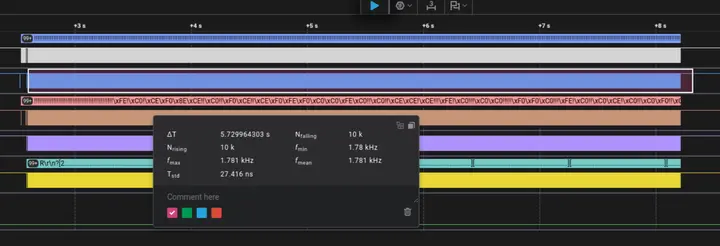
I’m still doing “just” the ping-pong over cog 0 and 1 in the propeller, and measuring bandwidth.
I use 5 MBaud transfer speed, and i do only send as soon as i have fully received the previous frame completely and have validated its contents.
I do 10 000 transfers of 253 bytes payload in about 5.61 s which means we get a total transfer size of 2.53 MB, so we have a bandwidth of 450.5 kB/s, which means 3.6 Mbps, so we get a true bus utilization of 90% including control flow and protocol overhead.
The maximum raw bandwidth we can get is 4 Mbps, as UART uses 10 bits per datum, 8 data bits + one start + one stop bit.
That’s actually pretty good! I don’t think I need to put more time into that part of the project for now, that’s already pretty good to work with. Assuming my calculations are correct, we can go up to 10 times faster in the end, meaning we could go up to 4.5 MB/s realistic bandwidth from and to the southbridge in full-duplex manner.
The debug out is broken as the baud isn’t right anymore. it looks quite cyberpunk:
Skipping forward to 20 minutes past midnight…
Okay, last update for today! The test’s still going strong:
[02:54:10.369] info: loopback status: 19209000 / 19209000 successful. 0 bytes error
that’s a whopping 4.8 GiB in 3 hours without any error :smile:
Skipping forward to 8 o’clock in the morning…
Still going strong!
[37777.431058] info: loopback status: 67501000 / 67501000 successful. 0 bytes error
Running for 10.5h, transferring 16.8 GB up- and downstream each, zero bit flips or errors detected. I’d say this is stable and works.
20th July 2025
Author: xq
A decision was made: The physical and logical protocol between the RP2350 and the Propeller 2 is now called Ashet Express.
Or, if we feel fancy, we can call it Ashet Express Gen1 x1 (first generation, one data lane per direction).
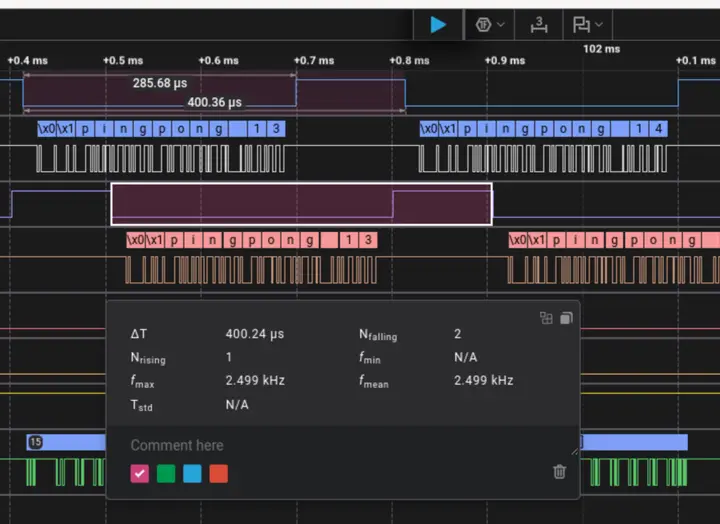
I’ve measured the roundtrip latencies in my current setup. The P2 just echos back the data sent by the RP2350. The RP2350 responds to each received frame with a new frame.
Current roundtrip time at 500 kBaud is around 400µs, so about 16 fully transferred bytes for a message length of 10 bytes. This is pretty pretty good:
19th July 2025
Author: xq
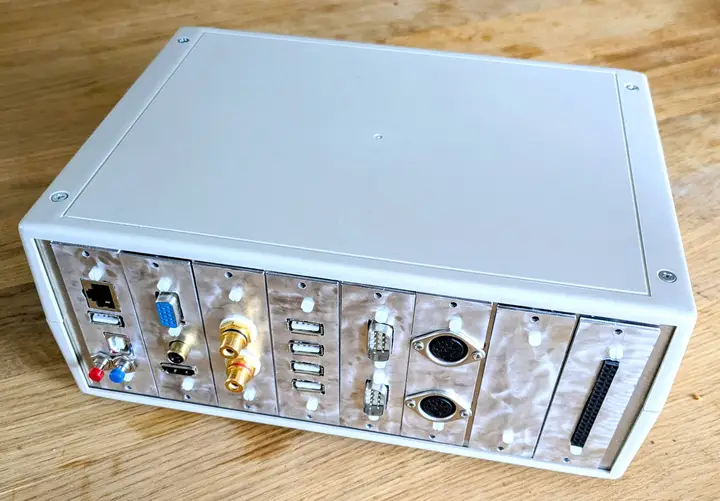
The parts i’ve ordered some days ago arrived and I finally had time to assemble the whole case mockup:
On the outside, it’s shiny and is pretty close to the CAD files.
On the inside, it’s all hotmelt:
But i’m so proud right now. This feels haptic, it looks like a computer and it makes me really, really happy.
18th July 2025
Author: xq
Some progress on the integration front!
I’m currently integrating all of my prototype work regarding the Southbridge stuff.
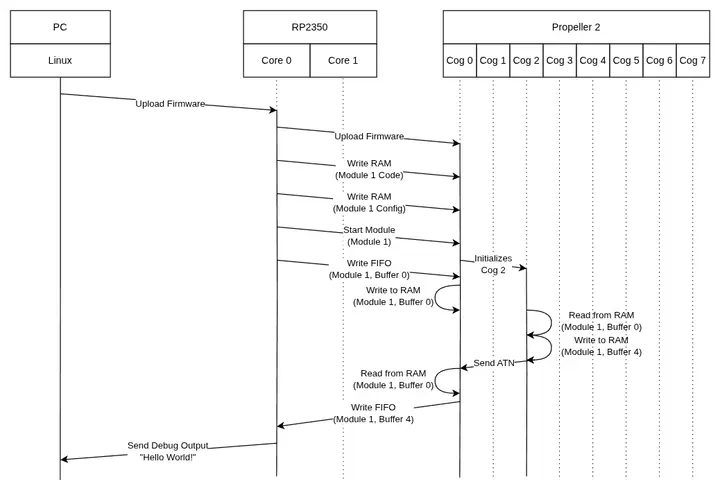
I think I made the most complex “Hello, World!” application i’ve ever done. Distributed over 3 machines, 3 CPU architectures and 4 CPU cores:
- PC (x86): Debugging
- RP2350 (Arm Cortex-M33): Main System CPU
- Propeller 2 Core 0: Southbridge Manager
- Propeller 2 Core 2: Expansion Module Controller
The setup is “fairly simple” and will basically bootstrap the P2, upload the module code and write to a FIFO.
The module will just bounce back all FIFO data received on FIFO 0 into FIFO 4, the manager core will then put the FIFO 4 data into frames and send it back to the RP2350. This will then print a debug log.
All of that is visualized in the sequence diagram above.
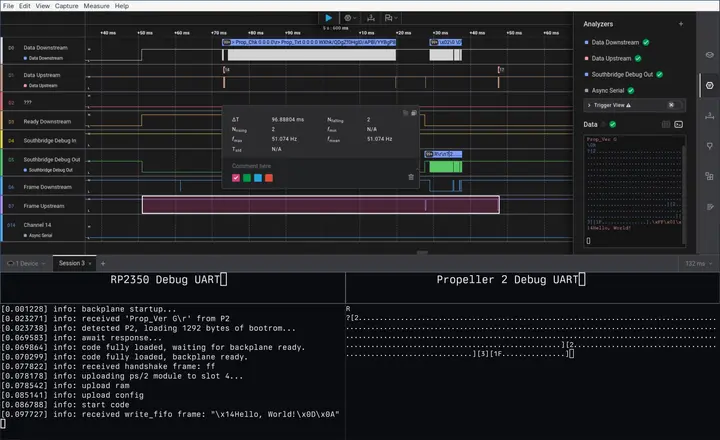
As you can maybe see from the screenshot, the whole process between “system reset” and “module is launched and has responded with FIFO data” is less than 100ms, so it’s all pretty fast and can be done blockingly for the first draft.
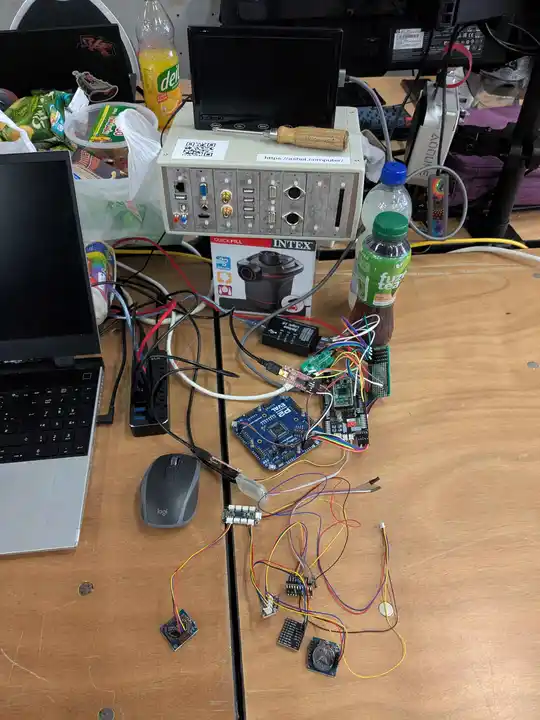
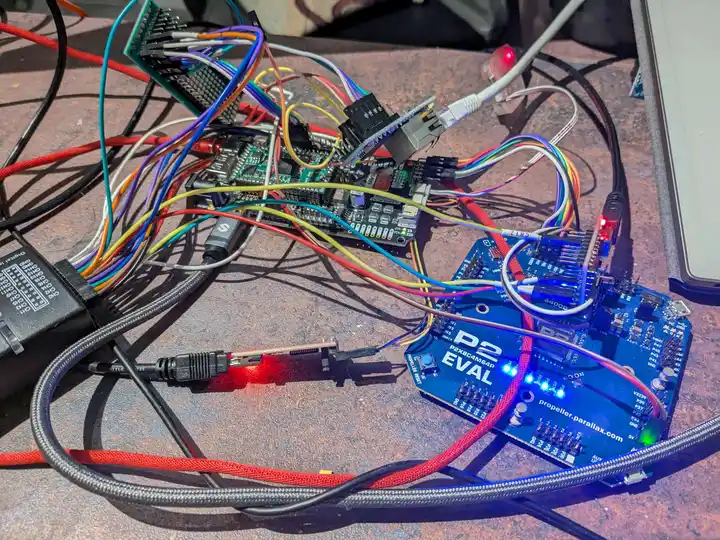
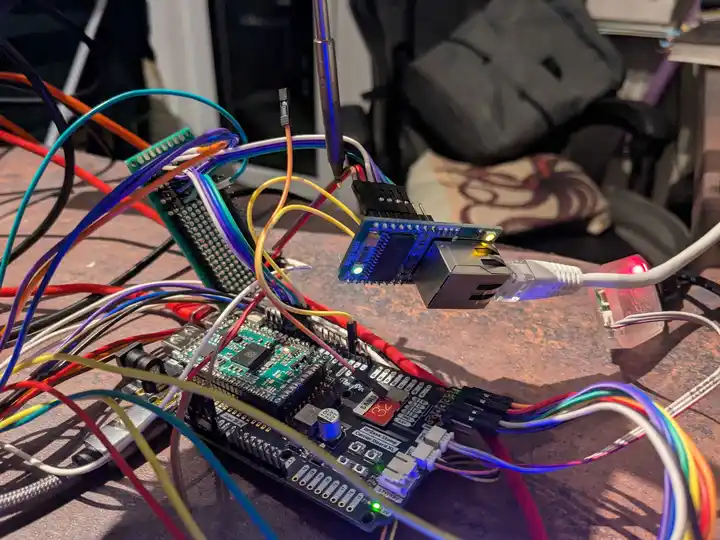
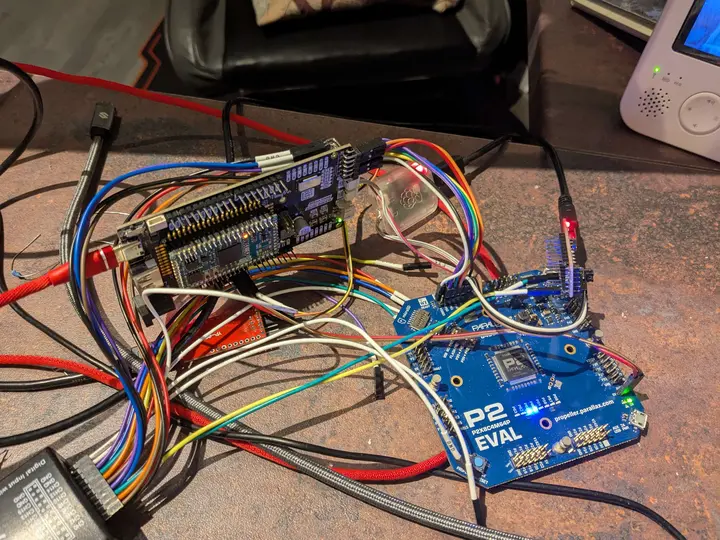
I also attached a photo of the current system setup spaghetti syndrome, enjoy the cursed view:
All in all i’m pretty happy with the current progress. It’s slow, but steady with little to no dropouts when I have focus time.
This is actually a huge milestone as it proves the whole Southbridge architecture is the right direction.
Also signs of watching over the baby again while it sleeps.
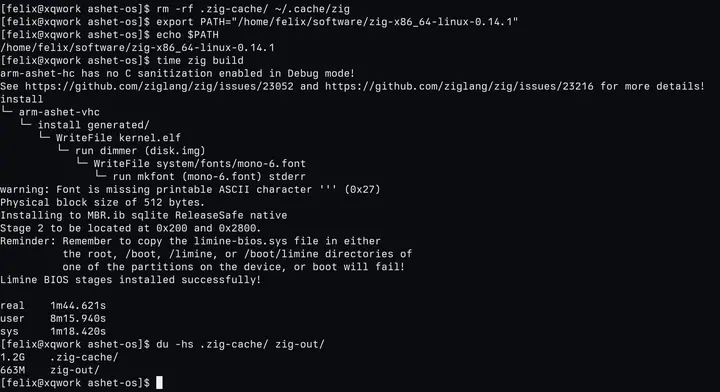
Ashet OS is now only depending on Zig 0.14 and an internet connection:
To build the OS for all supported 7 platforms including complete full disk images, one just has to invoke zig build:
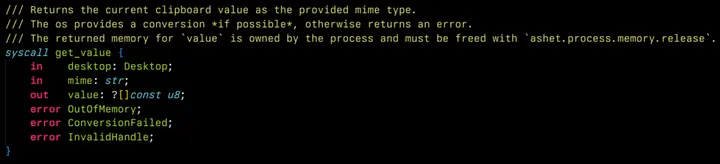
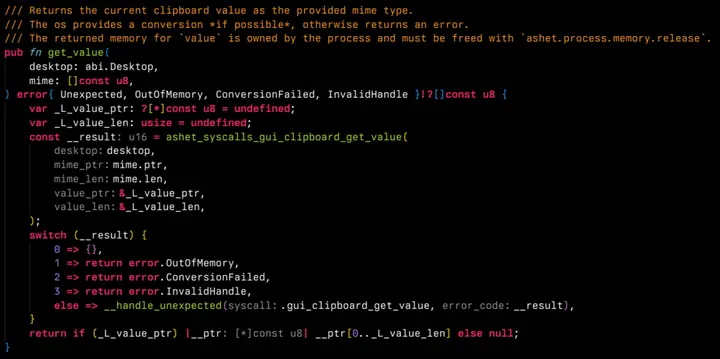
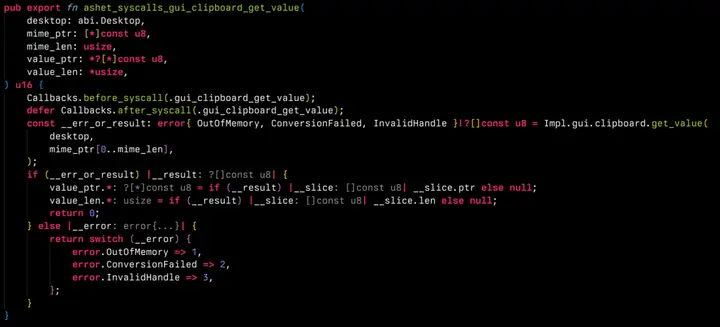
I’m working on the so called ABI mapper, a tool that converts a DSL containing the system call interface of Ashet OS into actual code.
The new changes are supporting non-C ABI compatible types like Zig-style slices (pointers + length) and options.
I’m slowly getting back to where I came from, but the ABI definition is now so much cleaner now.
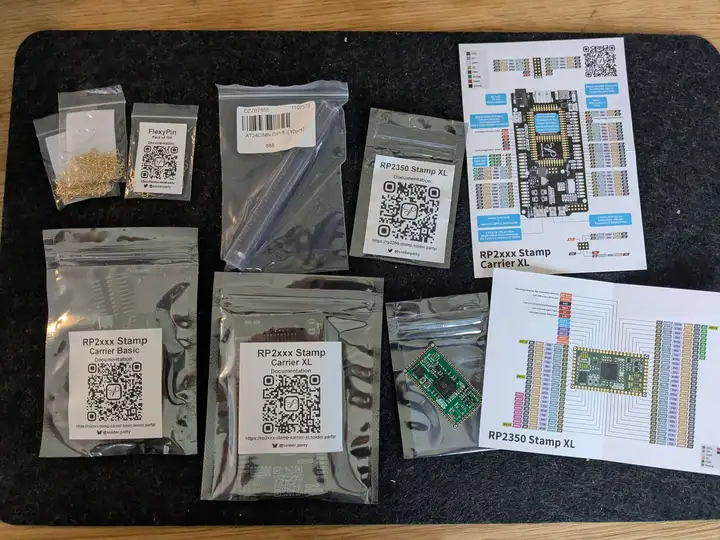
A while ago, I’ve ordered more parts for the prototyping phase:
I got a bunch of EEPROMs for the expansion cards, and some more RP2350 boards I can use to assemble a new prototype: